Ubuntu · Boot recovery
Fix Ubuntu kernel panic: VFS unable to mount root fs on unknown-block(0,0)
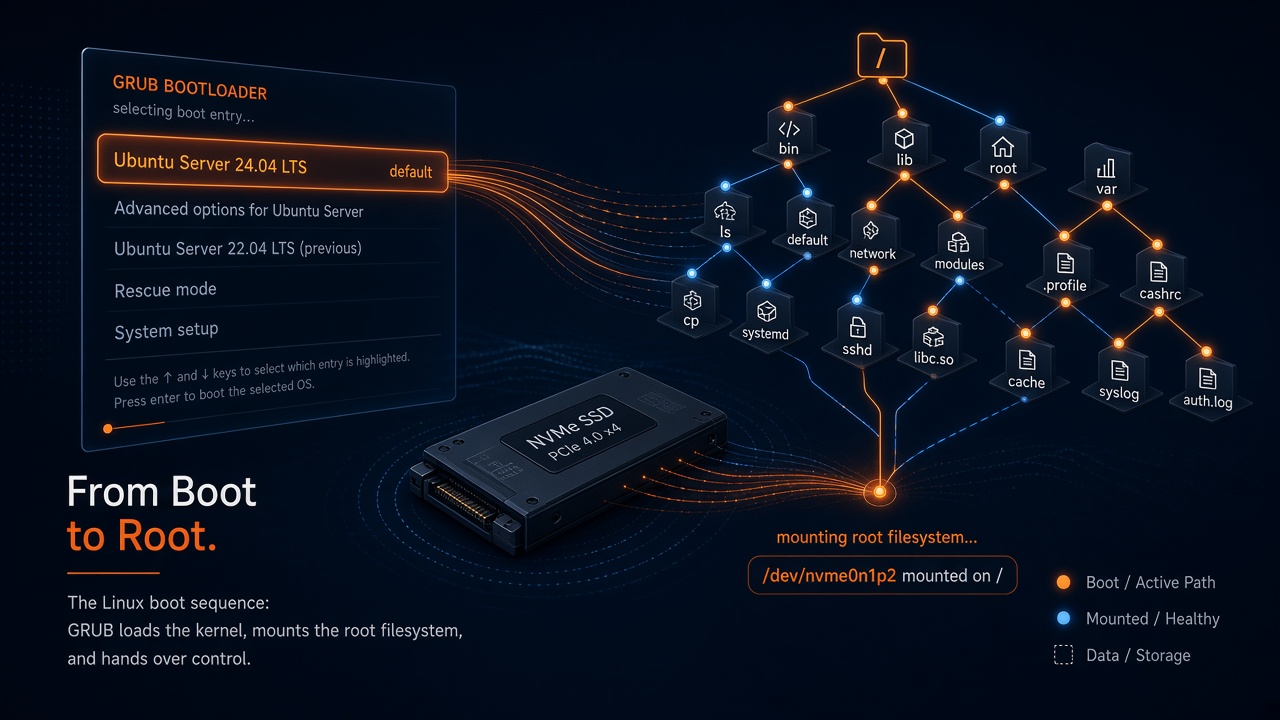
If Ubuntu dies right after GRUB with VFS: Unable to mount root fs on unknown-block(0,0), the kernel usually started — and then lost the plot before it could open the root disk. On modern NVMe installs, that almost always points at a missing or incomplete initrd, not a dead drive.
What the panic means
Ubuntu’s kernel prints that message when the Virtual File System layer cannot attach a root block device. unknown-block(0,0) is the smoking gun: major/minor 0,0 means “we never got a real device.”
So this is usually not:
- a random “Ubuntu is broken forever” event
- proof the SSD failed (especially if Windows still boots)
- fixed by randomly editing
root=/dev/...without also fixing early userspace
It is usually:
- GRUB loaded
vmlinuz-...but skipped or cannot find the matchinginitrd.img-... - an initrd exists but was built without the module tree (
/lib/modules/<version>missing) - a newer kernel is first in GRUB with no initrd, while an older kernel still works
Why initrd matters on Ubuntu + NVMe
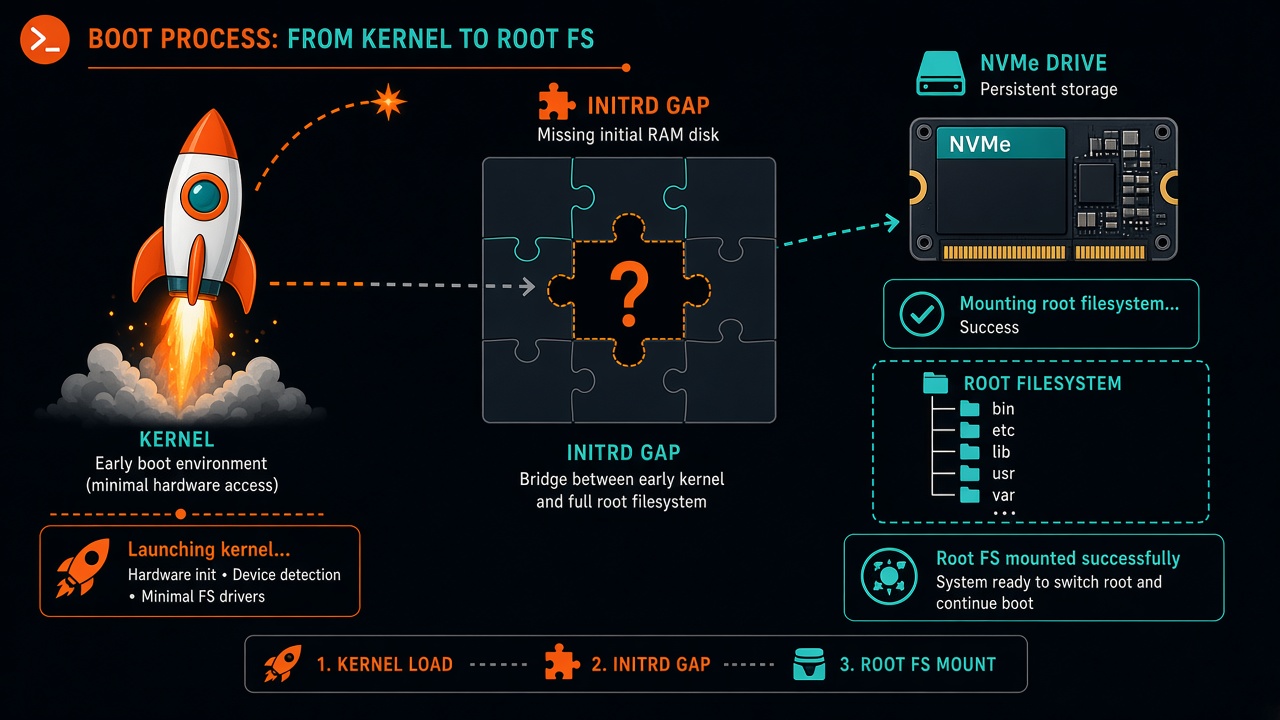
On many Ubuntu desktops and laptops, the root filesystem lives on NVMe (/dev/nvme0n1pN). NVMe drivers are commonly loaded from the initial RAM disk. If GRUB starts the kernel without a usable initrd, the kernel has no bridge to the disk — and you get unknown-block(0,0).
Classic symptoms
- GRUB shows Ubuntu, then immediate kernel panic mentioning root fs / unknown-block(0,0)
- Editing the Ubuntu entry shows a
linux ...line but noinitrd ...line /boothas avmlinuz-Xwithout a healthy matchinginitrd.img-Xupdate-initramfswarns that/lib/modules/Xor/boot/config-Xis missingaptcannot reinstall that exact kernel version because it left the archiveGRUB_DEFAULT=0withGRUB_TIMEOUT=0silently boots the first (broken) entry
Recover right now
1) Boot a known-good kernel from GRUB
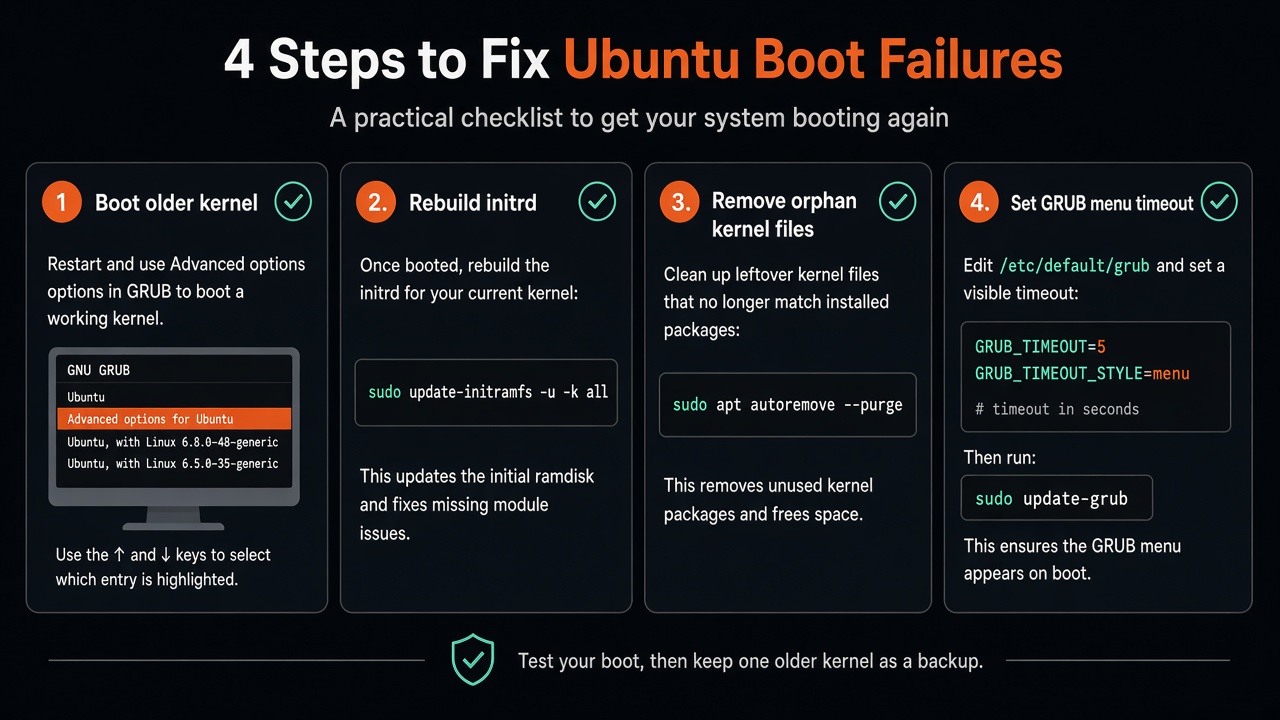
At the GRUB menu, open Advanced options for Ubuntu and pick an older kernel. If that boots, you already proved the disk and Ubuntu root are alive.
2) Inspect what GRUB is actually loading
Highlight Ubuntu → press e. You want both lines:
linux   /boot/vmlinuz-VERSION root=... ro quiet splash
initrd  /boot/initrd.img-VERSION
If initrd is missing, adding the matching file can be a one-boot workaround — but only if that file exists on disk.
Make the fix permanent
Once you are inside a working Ubuntu session:
uname -r
ls -1 /boot/vmlinuz* /boot/initrd.img*
ls /lib/modules
df -h /boot /

# Rebuild initrd for a kernel that still has modules
sudo update-initramfs -c -k $(uname -r)
# or a specific version that exists under /lib/modules:
# sudo update-initramfs -c -k 7.0.0-28-generic

sudo update-grub
If a kernel is only a leftover vmlinuz with no modules and apt cannot reinstall it, remove the orphans instead of chasing a ghost package:
sudo rm -f /boot/vmlinuz-BROKEN /boot/initrd.img-BROKEN \
  /boot/System.map-BROKEN /boot/config-BROKEN
sudo update-grub
GRUB traps that cause repeat panics
A hidden zero-second timeout with GRUB_DEFAULT=0 will keep auto-selecting whatever is first — even if that entry has a kernel and no initrd.
sudo sed -i 's/^GRUB_TIMEOUT_STYLE=.*/GRUB_TIMEOUT_STYLE=menu/; s/^GRUB_TIMEOUT=.*/GRUB_TIMEOUT=5/' /etc/default/grub
sudo update-grub
After reboot you should see the menu long enough to choose a known-good Ubuntu kernel while you finish cleanup.
Case study hardware (ThinkPad T490s)

The walkthrough above is for Ubuntu on any NVMe dual-boot box. For completeness, the machine that triggered this write-up was a Lenovo ThinkPad T490s (typical PSREF family specs):
| Model | Lenovo ThinkPad T490s (14" ultraportable) |
|---|---|
| CPU | 8th-gen Intel Core i5/i7 U-series (e.g. i5-8265U / i7-8565U class), 4 cores / 8 threads |
| Graphics | Intel UHD Graphics 620 |
| Memory | Up to 32 GB soldered DDR4-2400 |
| Storage | M.2 SSD up to 1 TB (PCIe NVMe or SATA options) |
| Display | 14" FHD IPS options (250–400 nits) or WQHD 2560×1440 IPS up to 500 nits |
| Battery / size | Up to ~57 Wh; about 16 mm thin, starting ~1.27 kg |
| Observed layout | GPT dual-boot; Ubuntu root on /dev/nvme0n1p3; Windows still chainloaded from GRUB |
On that install, a newer Ubuntu kernel had a vmlinuz without a healthy module tree/initrd, while an older kernel still booted. GRUB’s first entry plus a hidden timeout made the broken path automatic until cleanup.
Copy-paste command set
# After booting a working kernel via Advanced options:
export DEBIAN_FRONTEND=noninteractive
uname -r
ls -1 /boot/vmlinuz* /boot/initrd.img*
ls /lib/modules
df -h /

# Rebuild initrd for kernels that still have modules (example versions)
sudo update-initramfs -c -k 7.0.0-28-generic || true
sudo update-initramfs -c -k $(uname -r)

# Drop orphan kernels apt can no longer reinstall
sudo rm -f /boot/vmlinuz-6.8.0-45-generic /boot/initrd.img-6.8.0-45-generic \
  /boot/System.map-6.8.0-45-generic /boot/config-6.8.0-45-generic

# Make GRUB interruptible again
sudo sed -i 's/^GRUB_TIMEOUT_STYLE=.*/GRUB_TIMEOUT_STYLE=menu/; s/^GRUB_TIMEOUT=.*/GRUB_TIMEOUT=5/' /etc/default/grub
sudo update-grub

echo "---- verify ----"
ls -1 /boot/vmlinuz* /boot/initrd.img*
grep -E '^GRUB_DEFAULT|^GRUB_TIMEOUT' /etc/default/grub
Reboot, confirm the plain Ubuntu entry works, and keep one older kernel around as a safety net.